Pro DJ Link Setup: Connecting 4 CDJ-3000s and DJM-V10 with Gigabit Hub
Technical guide to setting up uncompressed Ethernet routing between Pioneer CDJ-3000 decks and DJM mixers for seamless multi-deck synchronization.
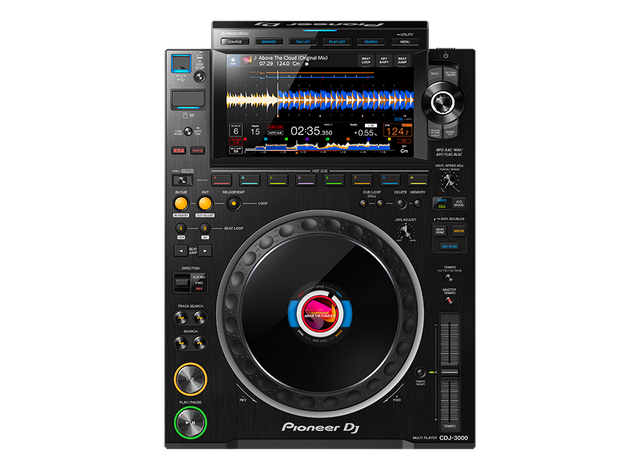
Pioneer CDJ-3000 Multi Player
Rent genuine Pioneer CDJ-3000 media players in Orlando, Gainesville, Tampa, Winter Garden, Windermere & Central Florida. 96kHz audio, touchscreen, pro setup & delivery.
Why Gigabit Switches Are Required for CDJ-3000s
Older CDJ-2000s used 100Mbps Fast Ethernet hubs. The CDJ-3000 upgraded to Gigabit Ethernet (1000BASE-T) to transfer high-resolution waveforms and streaming audio instantly between multiple decks. Clubwall includes an industrial Gigabit switch and shielded Cat6 cables with every multi-player package.
Assigning Player Numbers and Channel Matrix Alignment
Always verify player assignments in the CDJ Utility menu before soundcheck. Player 1 should link to Channel 1 or 2, and Player 2 should link to Channel 3 or 4. This ensures that the mixer fader movements accurately illuminate the jog wheel on-air ring.
Troubleshooting 'Link Connection Failed' Errors
If a deck fails to appear on the link, power cycle the gigabit switch first, verify that Auto Player Numbering is enabled, and ensure cables click firmly into the locking RJ45 ports.
Frequently Asked Client Questions
Can you link 4 CDJ-3000s with standard Ethernet cables?
Yes, using Cat6 RJ45 cables connected through an unmanaged Gigabit Ethernet switch.
Do player numbers (1, 2, 3, 4) matter on the CDJs?
Yes. Player numbers should match the mixer channel inputs so that on-air display lights and cue preview matrices align correctly.
What features are enabled by Pro DJ Link?
Single USB library sharing, synchronized 3Band waveforms, Phase Meter display, Master Tempo sync, and mixer cue preview.
Need Pioneer Decks or Concert Sound Delivered?
Contact our rental desk directly for instant gear availability, custom package pricing, and same-day delivery across Orlando, Tampa & Gainesville.